How Robot Vacuums Map and Navigate Your Home
Updated ·9 min read·By ServiceBot Team·Affiliate links, we earn a commission at no extra cost to you.
Table of Contents
The single biggest difference between a good robot vacuum and a frustrating one is how it finds its way around.
A well-navigated robot cleans your floor in neat rows and finishes near its dock. A poorly-navigated one bumps into the same skirting board six times, misses the corner behind the couch, and gives up halfway across the living room. The technology that makes the difference has two main names, laser scanning and camera navigation, and every current robot vacuum uses one, the other, or both.
Also called LiDAR
A spinning turret measures distance with laser pulses. Works in the dark, maps fast, and is precise enough for no-go zones. Best for large or multi-room homes.
How it works →Also called vSLAM
Cameras recognise landmarks the way you do. No turret, so the robot is slimmer and fits under low furniture. Needs light to work.
How it works →Hybrid
The laser holds the map, the camera identifies what is on the floor. This is why premium robots avoid cables and pet mess. Best if you have pets.
How it works →Here is what each actually does, why it matters for the room you are trying to clean, and which type suits which home.
Not sure which one fits your home?
4 quick questions, then only the robots that fit.
The basic problem a robot vacuum has to solve
Before it can clean, a robot vacuum has to answer three questions. Where am I? What is around me? Where have I already been?
A person moving through a room solves all three effortlessly. A robot sitting on the floor has none of that context. The map it builds and the sensors it uses are the whole game, because everything else follows from getting those three answers right.
Older robots (roughly pre-2018 budget models, and cheap ones still sold today) skip mapping entirely. They bounce around at random, hoping to eventually cover the floor. The results are what you would expect: missed patches, repeated passes over the same spot, and no ability to remember which rooms exist.
Any robot with laser or camera navigation cleans systematically. Any robot without either cleans at random. A robot vacuum with no proper navigation is worth avoiding regardless of price.
Laser scanning: how most current robots see the world
LiDAR stands for Light Detection and Ranging. If you have seen a robot vacuum with a small spinning turret on top, that is the laser scanner.
Here is what happens inside that turret. It spins about five times a second, and on every rotation it fires thousands of laser pulses in all directions. Each pulse hits a wall, a table leg or a chair and bounces back, and the sensor measures how long it took to return. That timing translates directly into distance.
Do that thousands of times a second and you have a detailed floor plan of the room. Do it while moving through the whole house and you have a complete map, saved to the robot’s memory, so next time it already knows where everything is and can plan an efficient route.
Why laser scanning dominates premium robots
It works in the dark. Lasers do not need ambient light, so the robot cleans just as accurately at 2am as at midday. That matters more than most reviews acknowledge, because a lot of people schedule their robot to run while they are out or asleep.
It is fast. Most laser robots finish their initial mapping run in a single pass, and never need to remap unless you rearrange the furniture.
It is precise. Virtual walls, no-go zones and room-by-room cleaning all depend on the robot knowing exactly where it is. Laser scanning nails this.
Where laser scanning struggles
Mirrors and glass. A laser hitting a mirror bounces off at an unexpected angle, which can convince the sensor a wall is somewhere it is not. In practice this rarely causes real problems, but it can leave a robot briefly lost in a bathroom or in front of a large hallway mirror.
Very low soft furniture. Bed valances, long tablecloths and floor-length curtains all read as solid obstacles, so the robot will not go under them. Tucking valances up before a clean is a small chore some owners get used to.
The turret adds height. Most laser robots stand about 10cm tall because the turret needs room to spin. If you have low couches or storage units the robot cannot fit under, that is why. Roborock deliberately designed the Saros 10R without a raised turret to solve exactly this, at the cost of a more complex sensor arrangement.
Camera navigation: the alternative
vSLAM stands for Visual Simultaneous Localization and Mapping. Instead of lasers it uses cameras, and the brand still most associated with it is iRobot Roomba.
The way it works is closer to how you navigate. A camera captures the room, the software picks out visual landmarks (corners, edges, distinctive furniture, patterns on the ceiling) and tracks how those landmarks shift relative to the robot as it drives. From that it works out where it is and builds a map.
Why some brands still use cameras
No turret means a slimmer robot. Roomba models fit under lower furniture than most laser robots.
Cameras recognise what things are, not just where they are. This is why Roomba was one of the first brands to reliably avoid pet mess: the camera identifies it and steers around it. A laser cannot do this, because a soft object and a hard object measure exactly the same.
Where camera navigation struggles
Low light. Cameras need light to see. A camera-guided robot cleaning a dark hallway at night may drift, or lose its position entirely. Roomba works around this with additional sensors, but the underlying limitation is real.
Featureless rooms. If a room has plain white walls and no distinctive landmarks, the camera has nothing to lock onto. Camera navigation struggles more in a minimalist room than a cluttered one.
Slower initial mapping. Where a laser robot often maps a home in one run, a camera robot often needs two or three.
Both together: laser and cameras
Most premium robots now combine the two. The laser handles the map and tracks where the robot is. The cameras handle object recognition and obstacle identification.
This is why the current top models from ECOVACS and Roborock both identify cables, socks, pet toys and pet mess. The camera sees what the laser cannot: what an object actually is. The combination is significantly more capable than either on its own, and it is why premium robots have pulled clearly ahead of budget ones over the last two years.
The three compared
| Laser only | Camera only | Both together | |
|---|---|---|---|
| Works in the dark | Yes | No | Yes |
| Tells a sock from a cable | No | Yes | Yes |
| Fits under low furniture | Turret adds height | Slimmer, no turret | Usually has a turret |
| Maps the home in one run | Usually | Often two or three | Usually |
| Copes with a plain, empty room | Yes | Struggles | Yes |
Every line in this table is drawn from the manufacturer behaviour described above. Individual models vary. A slim laser robot like the Saros 10R is the obvious exception to the turret row.
What a stored map lets you do
A stored map unlocks the features that make a robot vacuum genuinely useful rather than a novelty.
Room-by-room cleaning
Once the robot has mapped your home and you have labelled each room in the app, you can send it to clean just the kitchen, or just the bedroom. Without a map this is impossible.
No-go zones and virtual walls
Draw a rectangle on the map in the app and the robot will not enter that area. Useful for pet food bowls, the cable tangle around a desk, or a nursery.
Multi-floor mapping
Most premium robots store two or three separate maps for different floors. Carry the robot upstairs and it works out which floor it is on within a few minutes. This is what makes a robot vacuum practical in a two-storey home.
Scheduling by room
Kitchen every morning, bedrooms twice a week, bathroom on Sunday. All possible with a stored map, none of it possible without one.
What throws the mapping off
Four common causes of a robot losing its bearings, even a good one.
Moving the dock
The dock is the robot’s reference point. Move it and the stored map no longer matches the room, so the robot either fails to navigate or forces a remap. Pick a permanent spot for the dock and leave it there.
Picking the robot up mid-clean
Lifting a robot and putting it down somewhere else breaks its position tracking. It usually recovers, but it may waste ten minutes re-orienting itself first.
Rearranging the furniture
A new couch, a moved bookshelf or a Christmas tree can confuse the map enough that the robot forces a remap. That is normal, not a fault.
Running flat during the first map
If the robot runs out of charge partway through its initial mapping run, the map is incomplete and will need doing again.
A note on privacy
Both laser and camera robots build a detailed map of your home. That map is stored on the robot and, in most cases, synced to the manufacturer’s cloud service so you can reach it from your phone.
For cameras there is an extra consideration: the camera is not only for mapping, it captures still images to identify obstacles. Most manufacturers state that this processing happens on the device and the images are not sent to their servers, but how much detail their privacy policies give varies. Roomba, ECOVACS and Roborock all publish English-language privacy policies. If mapping data leaving the device concerns you, it is worth reading the policy for the brand you are considering before you buy.
Which navigation suits your home
A few honest rules of thumb.
Large or multi-room homes
Laser. Faster mapping, better route planning across bigger spaces, and no drift over a long cleaning session.
Low furniture, beds with valances, low-profile couches
A camera-guided Roomba, or a deliberately slim laser robot like the Saros 10R.
Homes with pets
Both together. The camera catches what the laser cannot, which matters most when the thing on the floor is small and organic.
Rooms cleaned at night or in low light
Laser only. Camera navigation degrades without light.
Under $500
Accept random-bounce navigation as a limitation and set expectations accordingly. Any robot at this price will miss patches and go over other areas repeatedly.
Ready to pick one?
Our buying guides cover the machines we can vouch for as available in Australia with proper warranty support.
Robot vacuums by floor type is the place to start if your home mixes carpet, tiles and floorboards. Best robot vacuum and mop covers the strongest all-rounders, best for pet hair focuses on anti-tangle brushes and the camera-plus-laser navigation that suits shedding pets, and the no-mop section of our robot vacuum guide covers suction-only machines with no mop to maintain.
New buying guides and robot news, whenever there’s something worth telling you about.
No spam. Unsubscribe anytime.
This explainer draws on published technical guidance from ECOVACS, Roborock and TechRadar, cross-referenced with independent testing from Vacuum Wars, Tom’s Guide and RTINGS. The diagrams are our own, drawn to illustrate the behaviour described above rather than any particular model.
ServiceBot earns a commission when you buy through links on this page, at no extra cost to you. It never affects which products we recommend or how we rank them. See our full affiliate and research disclosure for the detail. Last updated September 2026.
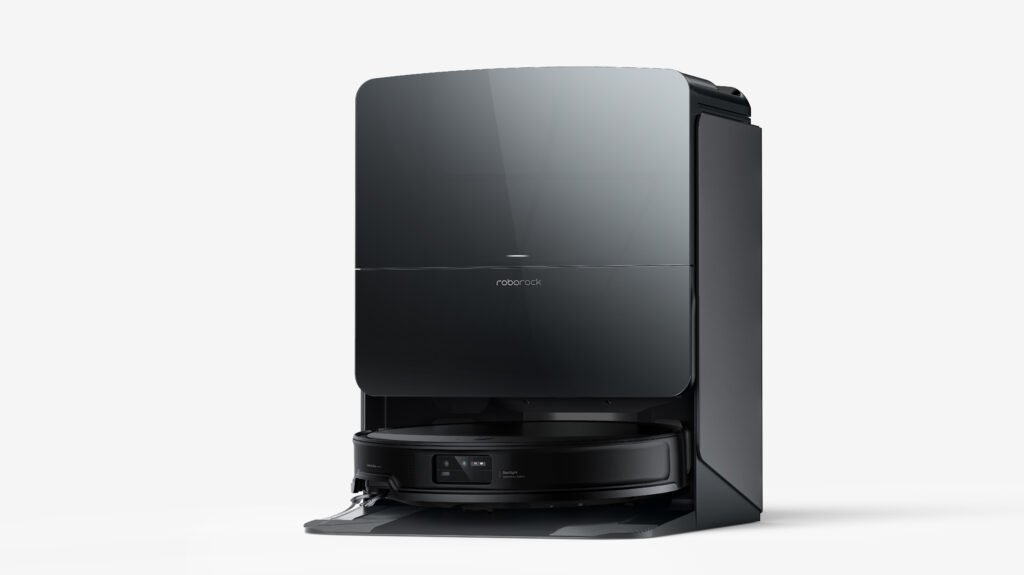
We earn a commission if you buy through these links, at no extra cost to you.




Was this useful?
If something here is out of date or we've got something wrong, telling us is the fastest way to get it fixed.
One Response
Thanks for the good writeup. It actually used to be
a leisure account it. Glance complicated to more brought agreeable from you!
By the way, how could we communicate?